
Improvements
Favorites
The application now allows you to manage "favorites" from the display page and from the "Recents" list on the main menu.
Favorites are a way of saving links to records and entities that you access frequently. This saves you time from having to lookup or navigate to those records or entities.
Implementation
On the main menu, you can click on the User circle icon which will pop-up the menu (note: this is testing data, so you will see other details):
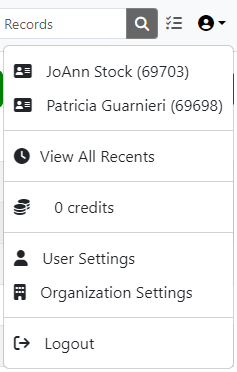
This shows your the items you have recently, like "JoAnn Stock" and "Patricia Guarnieri" in the example.
Clicking on the icon next to the item, will change the color from the standard theme color to gold, representing that it is now on your "Favorites".
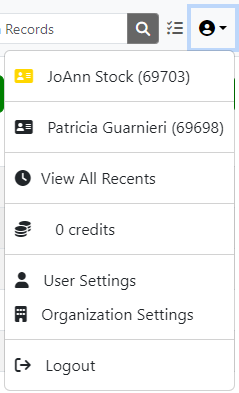
You also now have the option of click on "View All Recents" to view the list of your recently viewed items as well as you favorites in a separate list.
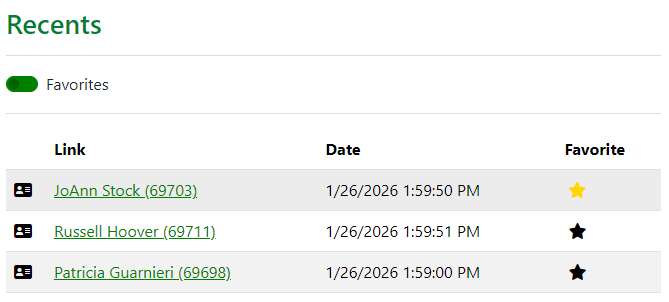
Clicking on the Star will toggle the item between your recents list and your favorites list. You can also toggle the "Favorites" switch at the top to view only your favorites.
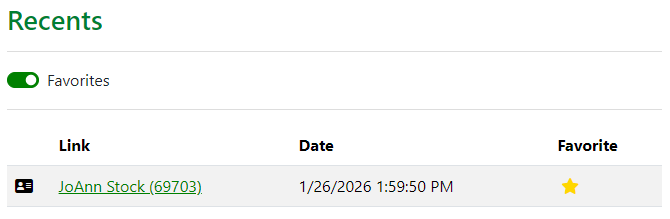
Clicking on a record will also show the star next to the name, allowing you to toggle the favorite directly from the record display.

Stewardship Categories
The dashboard now displays the tasks by the stewardship category assigned:
- Donor Stewardship Tasks
- Data Stewardship Tasks
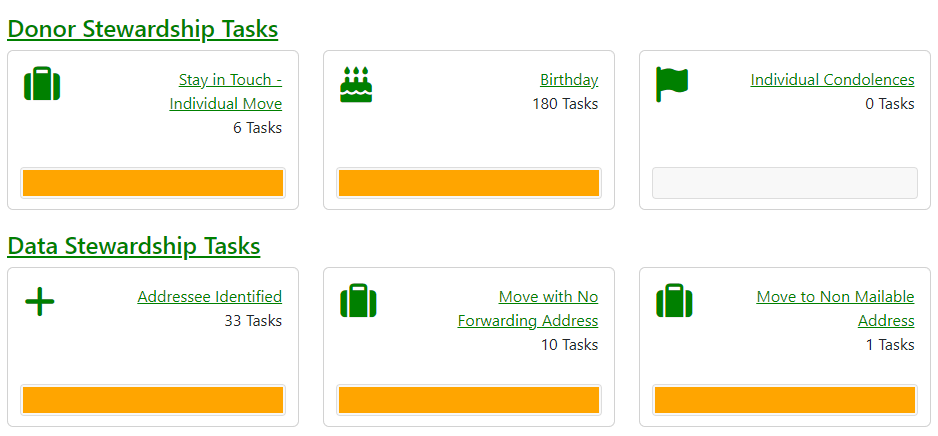
The links provide access to the documentation supporting these tasks.
Fixes
Database Downloads
Downloads will now automatically correct blank country codes for those values that match the USPS zip code format.